The LaunchPanda Extension Is Here, Launch on Autopilot
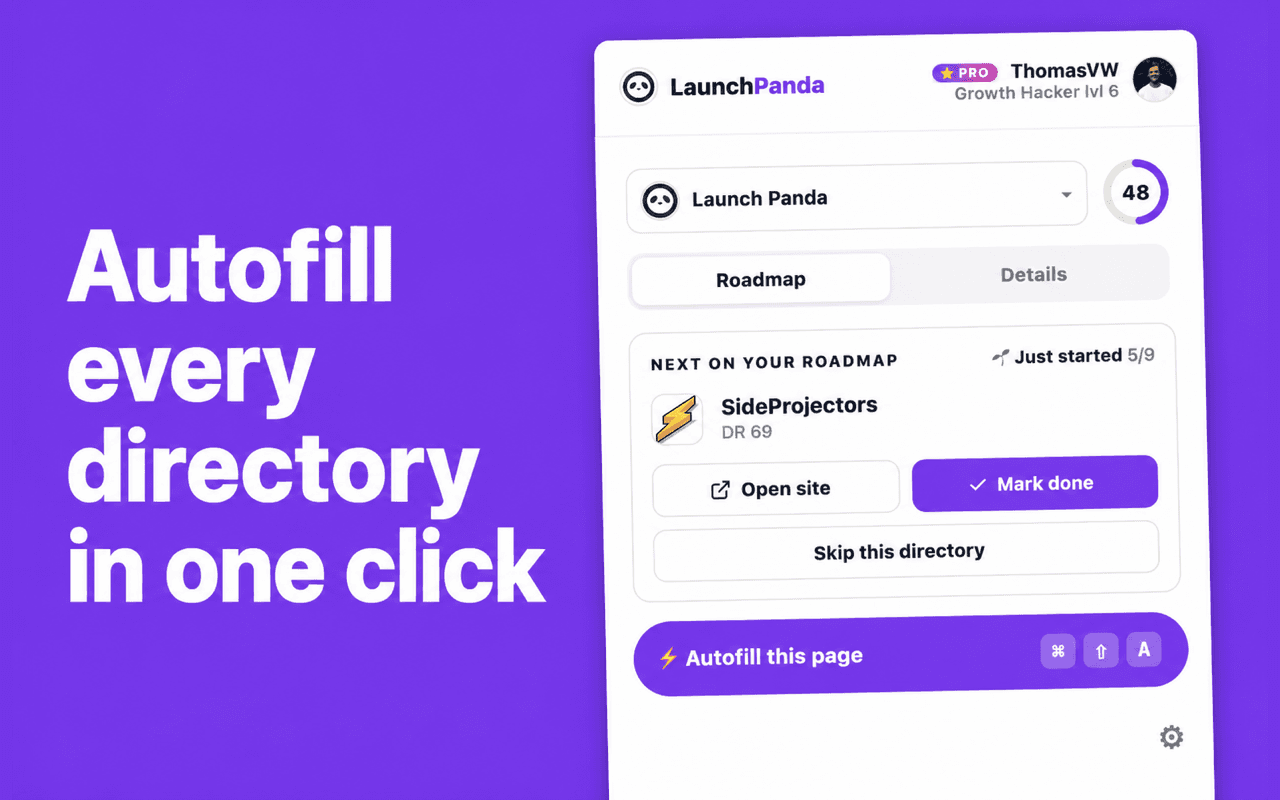
The LaunchPanda Chrome extension autofills every directory form from your Startup Profile, so launching goes from a full afternoon to almost clickless.

The LaunchPanda Chrome extension is live, and it fills out directory submission forms for you. It reads your Startup Profile and drops your name, tagline, description, and links straight into each directory. Launching goes from a full afternoon of copy-paste to almost clickless.
What does the LaunchPanda extension do?
It autofills directory submission forms. Every directory asks for the same handful of things, your product name, a tagline, a description, your links, a category. Instead of retyping those on site after site, the extension pulls them from your Startup Profile and fills the form in a single click. You glance it over, hit submit, and move to the next one.
You stay in control the whole way. The extension fills the fields, you decide what goes live. It's called LaunchPanda Directory Autofill on the Chrome Web Store.
How does clickless launching work?
Three steps, once:
- Add the extension to Chrome from the Chrome Web Store.
- Connect it to your LaunchPanda account. Open the connect page, copy the code, and paste it into the extension. That links it to your Startup Profile.
- Work your roadmap. Open a directory, click autofill, review, submit. Repeat down the list.
That's the whole loop. If you haven't built your directory list yet, start with how to launch your startup on 250+ directories.
How much time does it save?
Filling one directory by hand is a couple of minutes of clicking and typing. That feels small until you remember a real launch isn't one directory, it's a hundred. Multiply two or three minutes across 100+ sites and you've lost the better part of a day to data entry.
The extension collapses each form to a few clicks, so that day turns into a coffee break. And the payoff compounds, since every listing is a backlink working for your SEO long after you submit it. Here's how directories turn into free backlinks, and which directories actually sent me users when I measured it.
Do you still have to do it yourself?
Only if you want to. The extension is for builders who like to move fast and stay hands-on. If you'd rather not touch it at all, Auto Launch submits your Startup Profile to directories for you, done-for-you instead of do-it-fast.
Either way, the tedious part of launching is finally solved.
Liked this article?